

Bring your WordPress site to Mainfolk.
Install one free plugin, click a button, and your WordPress pages, posts, menu and logo are rebuilt on Mainfolk, block layout and all. No code, no exports to wrangle, and nothing on your WordPress site changes.
Get the plugin.
The Mainfolk Migrator is a small, free WordPress plugin. Download the zip, it is all you need. You will install it on your WordPress site in the next step, so no need to unzip it.
- Download the plugin zip.One file, about 5 KB. Keep it somewhere you can find it, like your Downloads folder.
- That is the whole download.No sign-up and no key. You install it, click Export, and your site appears on Mainfolk.
Install it in WordPress.
This is the same way you install any WordPress plugin. It takes about a minute.
- In your WordPress admin, go to Plugins → Add New Plugin.You need to be an administrator on the site.
- Click Upload Plugin, choose the zip you just downloaded, and click Install Now.
- Click Activate Plugin.That is it. A new item appears under Tools → Migrate to Mainfolk.
Click Export to Mainfolk.
Open Tools → Migrate to Mainfolk and press one button. Nothing to set up, no key, no account to connect first.
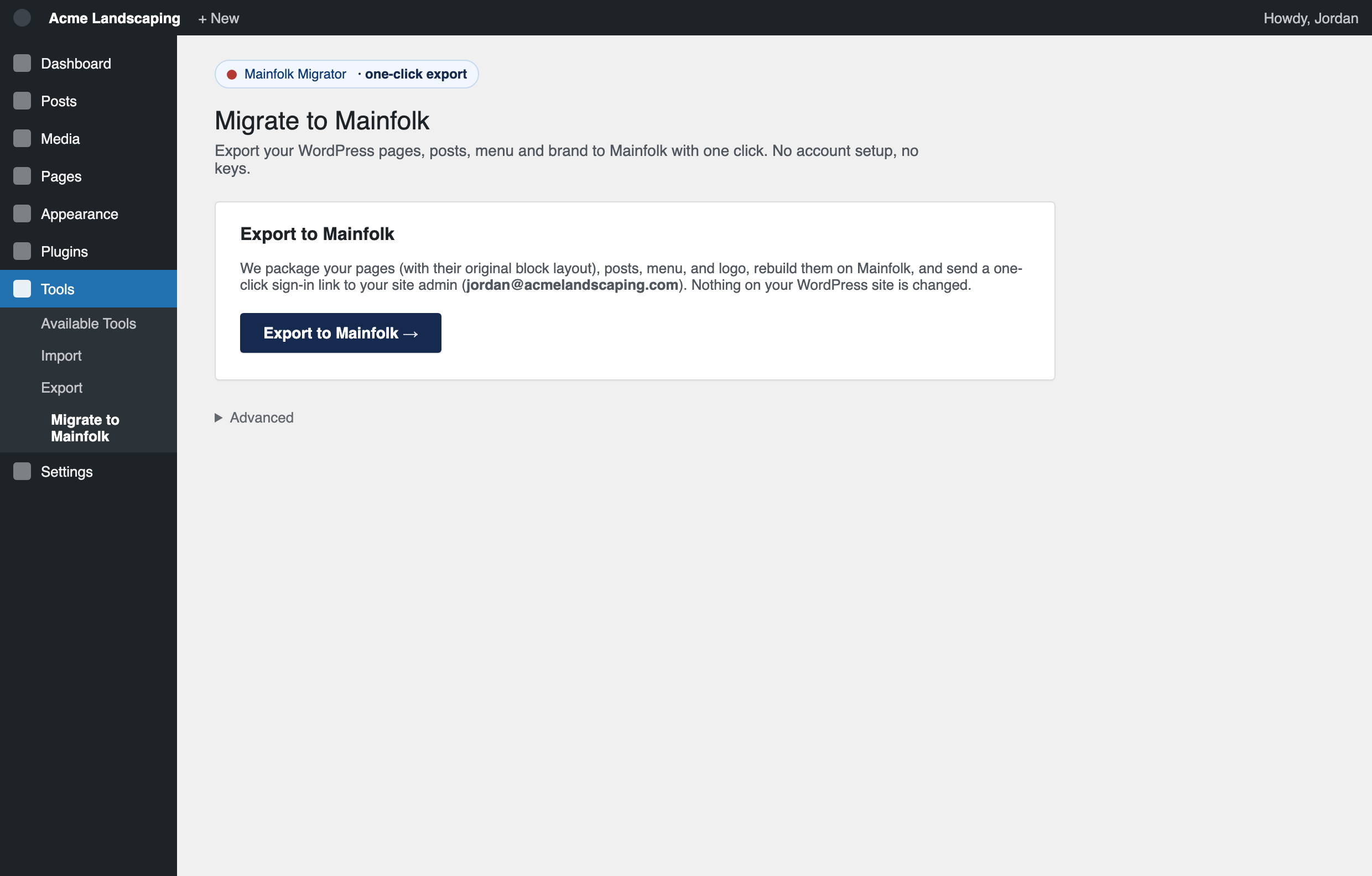
- Press Export to Mainfolk.It sends your pages (with their original block layout), your posts, your menu, and your logo.
- Wait a few seconds.Mainfolk confirms the export really came from your site, then rebuilds each page as real, editable sections, not a screenshot or a copy you cannot change.
Your site is on Mainfolk. Open it.
The moment the export finishes, your site is live on Mainfolk as clean, editable pages, and you get a one-click way in.
- Click the link the plugin shows you.It drops you straight into your new site in the Mainfolk editor, already signed in.
- Or use the email.We also send a one-click sign-in link to your WordPress admin email, so you can open your site from any device.
- Edit anything, then publish.Text, photos, colors, sections. Nothing is public until you press Publish changes. New to the editor? The user guide takes five minutes.
Good to know.
- Do I need an account or a key first?No, nothing to set up. Install the plugin and click Export. Mainfolk creates your account and site for you, then sends a one-click sign-in link to your WordPress admin email.
- What about security and updates after I move?That becomes our job, not yours. A Mainfolk site is kept secure and up to date for you, with nothing to patch and no emergency updates to chase, so you never get the 3 a.m. "your site is down" email.
- Does it change my WordPress site?No. The plugin only reads your content and sends a copy to Mainfolk. Your WordPress site stays exactly as it is.
- What gets imported?Your pages (with their block layout), your blog posts, your main menu, and your logo. Pages come across as editable Mainfolk sections.
- Is the plugin free?Yes. Download and install it for free. You import into a Mainfolk account, which has a free plan.
- Do my themes and plugins come over?Your content does, not your WordPress theme or plugins. Mainfolk gives your content a fast, modern design you can adjust in the editor.
- My site was built with a page builder (Elementor, Divi).It still imports. Content laid out with the standard WordPress block editor comes across at the highest fidelity; page-builder pages come in as clean, editable content you can arrange in Mainfolk.
- Can I run it again?Yes. Re-running the export for the same site updates in place instead of creating a duplicate.
Move your WordPress site in minutes.
Download the plugin, install it, and click one button. Your content is rebuilt on Mainfolk, ready to edit, with your old site left running untouched. No sign-up, no keys, no setup.